
There was a time when you could arrive at Walt Disney World with a paper park map, a printed dining confirmation, and a rough idea of which attractions you wanted to visit.
Those days are largely gone.
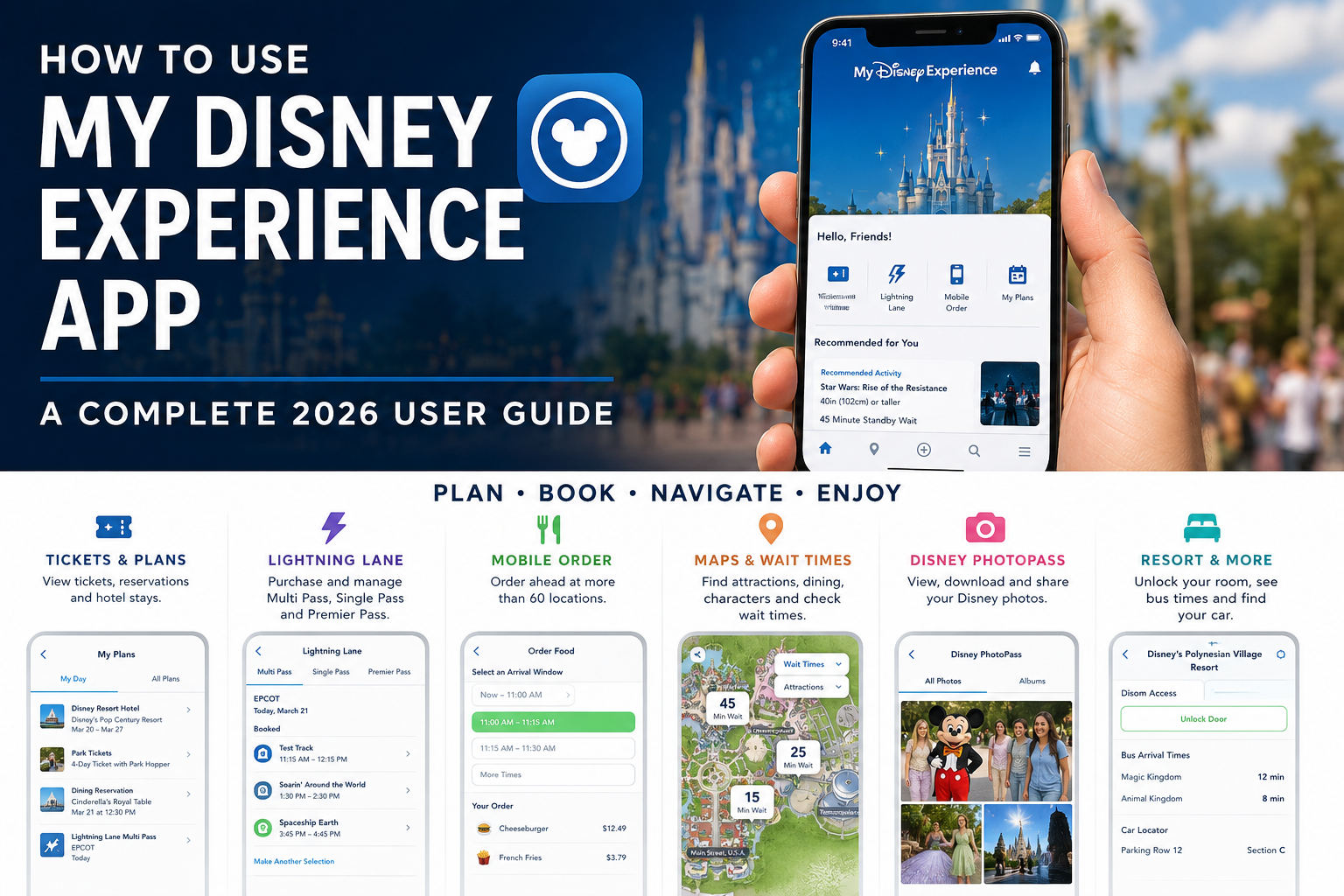
In 2026, the My Disney Experience app has become one of the most important tools you will use during a Walt Disney World vacation. It holds your tickets and plans, displays attraction wait times, manages Lightning Lane passes, handles Mobile Order, lets you join restaurant walk-up lists, displays Disney PhotoPass photos, provides walking directions, unlocks Disney Resort hotel rooms, tracks transportation, and can even help you find your car at the end of the day.
You technically can visit Walt Disney World without constantly staring at your phone, and Disney still offers physical admission cards and other alternatives for many functions. But realistically, guests who understand My Disney Experience before arriving have a major advantage over those trying to learn the app while standing inside Magic Kingdom.
The app has also changed substantially since this guide was originally published. FastPass+ is long gone. Disney Genie+ has also been retired as a name. Today, paid expedited attraction access is handled through Lightning Lane Multi Pass, Lightning Lane Single Pass, and Lightning Lane Premier Pass, while complimentary Disney Genie planning tools remain available inside the app.
This guide walks through the major My Disney Experience features available in 2026, how to prepare the app before your trip, and the functions that are most useful once you arrive.
Last updated: August 23, 2026. My Disney Experience changes frequently, and individual menus, buttons, features, and availability may change after this article is published. Always use the latest version of the app.
 What Is the My Disney Experience App?
My Disney Experience is the official Walt Disney World mobile app for iPhone, iPad, and Android devices.
It connects your MyDisney account with many of the digital systems used throughout Walt Disney World Resort.
Among other things, the app can currently be used to:
- View and manage Walt Disney World theme park tickets
- View Disney Resort hotel reservations
- View dining reservations and other plans
- Purchase and manage Lightning Lane passes
- Check attraction wait times
- View park hours and entertainment schedules
- Find character appearance times
- Use interactive park maps and walking directions
- Make dining reservations
- Place Mobile Food & Beverage Orders
- Join participating restaurant walk-up lists
- Check in for restaurant reservations
- Access Disney PhotoPass photos
- Create and use a Disney MagicMobile pass
- Complete Online Check-In for a Disney Resort hotel
- View your Resort hotel room number when it is ready
- Unlock a Disney Resort hotel room door
- View Resort bus arrival estimates
- Track Disney Dining Plan meals and snacks
- Use Car Locator to save your parking location
- Manage your Family & Friends list
- Link tickets, reservations, MagicBands, Memory Maker, and other purchases
- Chat with a Disney Cast Member through supported in-app help features
In other words, My Disney Experience is no longer just a park-map app. It has effectively become the digital control center for a Walt Disney World vacation.
A Brief History of My Disney Experience
My Disney Experience dates back to 2012, when Disney began introducing a major technology initiative that would eventually become known as MyMagic+.
The original My Disney Experience mobile app launched in August 2012 as the replacement for Disney’s earlier Mobile Magic application. Even in its early form, it offered park maps, attraction wait times, dining information, and other planning tools.
The system became much more important when MyMagic+ rolled out across Walt Disney World.
MyMagic+ connected several technologies:
- My Disney Experience
- MagicBands
- FastPass+
- Disney Resort hotel reservations
- Theme park admission
- Disney PhotoPass
By March 2014, Disney had made the MyMagic+ system broadly available to Walt Disney World guests.
From FastPass+ to Disney Genie
For several years, one of My Disney Experience’s most important functions was managing FastPass+.
Guests could reserve attraction return times weeks before their vacation, usually beginning with three advance attraction selections per park day.
FastPass+ disappeared following Walt Disney World’s 2020 pandemic closure and never returned.
Disney later introduced Disney Genie, along with the paid Disney Genie+ service and individually purchased Lightning Lane attractions.
Lightning Lane Multi Pass Arrives
Disney changed the system again on July 24, 2024.
Disney Genie+ was renamed Lightning Lane Multi Pass, while individually purchased Lightning Lane attractions became Lightning Lane Single Pass.
The bigger change was functional: advance planning returned.
Guests could once again select attraction arrival windows before arriving at Walt Disney World, blending some of the advance-planning characteristics of FastPass+ with the paid Lightning Lane system.
Disney later added Lightning Lane Premier Pass, creating the three Lightning Lane options available today.
Through all of these changes, My Disney Experience remained the central platform tying everything together.
Step 1: Download and Update My Disney Experience
Download My Disney Experience before your vacation rather than waiting until you arrive at Walt Disney World.
The app is available from the Apple App Store and Google Play.
Even if you already have the app installed from a previous trip, update it shortly before your vacation.
Disney regularly changes menus, adds new features, updates Lightning Lane functionality, and fixes compatibility issues. Using an outdated version can cause features to display incorrectly or fail entirely.
Step 2: Sign In With Your MyDisney Account
My Disney Experience uses your broader MyDisney account.
If you already use the same Disney login for services such as Disney+, ESPN, Disney Store, or other Disney products, you may already have a MyDisney account.
Once logged in, the app connects plans associated with your account.
This is important because Disney tickets are not really attached directly to your MagicBand or phone. They are linked to your MyDisney account, and devices such as a MagicBand or MagicMobile pass provide ways to access those entitlements.
Step 3: Link Your Tickets, Hotel, Dining, and Other Reservations
Before arriving, make sure everything you purchased appears correctly in My Disney Experience.
Disney allows guests to link several types of reservations and purchases, including:
- Disney Resort hotel reservations or vacation packages
- Theme park tickets
- Annual Passes
- Dining reservations
- Memory Maker
- MagicBands
Many purchases made while logged into the same MyDisney account appear automatically.
If something is missing, use the app’s account-linking tools and enter the confirmation number or ticket information.
Do this before the morning you need to purchase Lightning Lane passes or enter a park. Fixing an incorrectly linked ticket at 6:59 AM is not an ideal way to start a Disney day.
Step 4: Set Up Your Family & Friends List
The Family & Friends system allows multiple people to plan a Walt Disney World vacation together.
Once guests are properly connected, you can include eligible members of your group when making or managing shared plans such as:
- Dining reservations
- Disney Resort hotel reservations
- Lightning Lane purchases and selections
- Theme park reservations when required
- Disney PhotoPass sharing
- Other eligible vacation plans
This is especially important for Lightning Lane.
If one adult is responsible for purchasing Lightning Lane passes for the entire family, make sure everyone is correctly connected and has valid admission well before the purchase window opens.
Do You Still Need Theme Park Reservations in 2026?
Sometimes.
Theme park reservations are not generally required for date-based Walt Disney World theme park tickets.
However, reservations may still be required for other admission types, including certain Annual Pass visits and other tickets.
Annual Passholders also have designated Good-to-Go Days when a reservation is not required.
My Disney Experience can display the relevant admission and reservation information connected to your account.
Do not assume that the old post-2020 reservation rules still apply to every ticket type.
Using My Plans
The My Plans area is one of the most useful parts of the app before and during your trip.
It functions as a centralized itinerary and can display items such as:
- Disney Resort hotel stays
- Dining reservations
- Theme park admission
- Lightning Lane selections
- Enchanting Extras and other reservations
- Plans shared with Family & Friends
Before each park day, review My Plans and make sure the schedule looks the way you expect.
Using the Interactive Walt Disney World Maps
The interactive maps have become considerably more useful than the simple maps included in early versions of the app.
You can use them to locate:
- Attractions
- Restaurants
- Character appearances
- Restrooms
- Shops
- Guest Services
- PhotoPass photographers
- Entertainment
- Transportation
- Resort hotels
- Other points of interest
The app also provides GPS-enabled navigation and step-by-step directions.
This is particularly useful at EPCOT and Disney’s Animal Kingdom, where the shortest route between two points may not be obvious to a first-time visitor.
Checking Attraction Wait Times
One of the simplest but most useful My Disney Experience features is the live attraction wait-time map.
You can compare posted standby waits across an entire park without physically walking from attraction to attraction.
That makes it possible to change plans based on conditions.
If Jungle Cruise suddenly jumps to a 70-minute standby wait while Pirates of the Caribbean is showing 15 minutes, the app gives you the information needed to adjust immediately.
Wait times are still estimates rather than promises, but they are invaluable for understanding crowd patterns during the day.
Checking Character Appearance Times
My Disney Experience is also one of the best tools for finding Disney characters.
Open the map and select the Characters category to view available scheduled greetings.
You can then see the character’s current location and scheduled appearance periods.
This is particularly important because many outdoor characters appear in sets rather than continuously throughout the day.
For a more complete park-by-park breakdown, see our Disney World Character Appearances guide.
Viewing Showtimes, Park Hours, and Entertainment
The app provides daily operating information for attractions and entertainment.
You can check:
- Theme park opening and closing times
- Early Theme Park Entry
- Entertainment schedules
- Character appearance times
- Parade times
- Nighttime spectacular schedules
- Individual attraction hours
This is important because not every attraction or entertainment offering operates for the entire period a park is open.
How Lightning Lane Works in My Disney Experience in 2026
The FastPass+ section in the original version of this article is completely obsolete.
In 2026, expedited attraction access is handled through three paid Lightning Lane products.
Lightning Lane Multi Pass
Lightning Lane Multi Pass allows guests to select up to three participating experiences and arrival windows in advance for one theme park.
On the day of your visit, after redeeming your first Multi Pass selection—or once its arrival window has passed—you can use the app to make another eligible selection, subject to availability.
You can continue making additional selections one at a time as availability allows.
If your admission includes Park Hopper privileges, later selections can be made at another Walt Disney World theme park once you have redeemed your first selection.
Lightning Lane Single Pass
Lightning Lane Single Pass is used for select high-demand attractions that are not included in Multi Pass.
You choose an attraction and available arrival window through My Disney Experience.
Disney currently allows guests to purchase up to two Lightning Lane Single Passes per day, subject to availability.
Lightning Lane Premier Pass
Lightning Lane Premier Pass provides one-time access to each available Lightning Lane attraction in a selected theme park for that day.
Unlike Multi Pass and Single Pass, you generally do not select individual arrival windows in advance.
The My Disney Experience app tracks which eligible Premier Pass attractions you have already redeemed and which remain available.
When Can You Buy Lightning Lane Passes?
Guests staying at Disney Resort hotels and other qualifying hotels can currently purchase Lightning Lane passes beginning 7 days before the first day of their stay, for their eligible length of stay up to 14 days.
Other eligible guests can generally purchase beginning 3 days before their park visit.
The booking window opens at 7:00 AM Eastern Time on the first eligible day.
Lightning Lane prices vary by date, park, and—in the case of Single Pass—the individual attraction. Current prices are displayed in My Disney Experience.
What Happened to Disney Genie?
The terminology can be confusing because Disney Genie still exists, but Disney Genie+ does not.
The complimentary Disney Genie planning service remains part of My Disney Experience and can provide suggestions and personalized planning information based on your interests.
The former paid Disney Genie+ product became Lightning Lane Multi Pass in July 2024.
So if you encounter an older article instructing you to “buy Genie+” on the morning of your park day, that advice is outdated.
Using Virtual Queues
Disney continues to maintain the Virtual Queue system inside My Disney Experience.
Virtual queues are complimentary and may be activated for newly opened or especially popular attractions and experiences.
When Disney uses a virtual queue, the app will display:
- Which attraction or experience is participating
- Distribution times
- Eligibility requirements
- Your boarding group or return information
Virtual queue availability changes over time. An attraction that required one last year may now use a regular standby queue, while a newly opened attraction may begin using one.
Check the Virtual Queue tile in My Disney Experience immediately before your trip rather than assuming an old procedure still applies.
Disney MagicMobile: Your Phone Can Be Your Park Ticket
Disney MagicMobile turns an eligible smartphone or Apple Watch into a digital Walt Disney World credential.
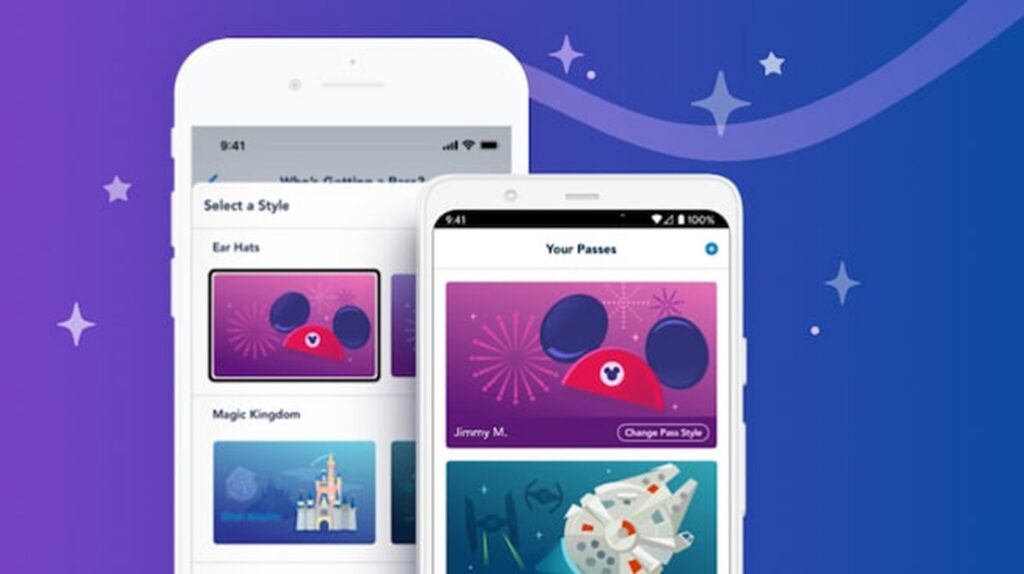
After creating a Disney MagicMobile pass through My Disney Experience, you can add it to the appropriate mobile wallet on a compatible device.
MagicMobile can be used for functions including:
- Entering a theme park with valid admission
- Linking Disney PhotoPass photos
- Checking in at Lightning Lane entrances
- Checking in for applicable virtual queues
- Charging eligible purchases to a Disney Resort hotel room account during a qualifying stay
This means a MagicBand is not required to visit Walt Disney World.
You can use MagicMobile, a physical ticket card, or an active MagicBand depending on your preference.
Managing MagicBand and MagicBand+
My Disney Experience is also used to link and manage Disney bands associated with your account.
MagicBand and MagicBand+ can provide hands-free access to many of the same systems, including:
- Theme park entry
- Lightning Lane entrances
- Disney PhotoPass linking
- Disney Resort hotel room access
- Eligible room charging
MagicBand+ adds lighting, haptic feedback, and interactive features at select locations and entertainment experiences.
Mobile Food & Beverage Ordering
Mobile Order is one of the app features I use most frequently at Walt Disney World.
Rather than waiting in a line to order at many participating Quick-Service locations, you can:
- Open My Disney Experience.
- Select the option to order food.
- Choose a participating restaurant.
- Select an available arrival window.
- Build and customize your order.
- Pay through the app.
- When you arrive, tell the app you are there so the kitchen can prepare the order.
- Wait for the notification that your food is ready.
Disney currently offers Mobile Food & Beverage Ordering at more than 60 Walt Disney World locations.
Payment options can include credit cards, debit cards, Disney Gift Cards, Disney Rewards Redemption Cards, Apple Pay, and eligible Disney Dining Plan entitlements.
Mobile Order Tip
Do not always wait until you are standing outside the restaurant to begin your order.
During busy lunch and dinner periods, the most convenient arrival windows can fill. Ordering earlier and selecting a later pickup window can save time.
Making Dining Reservations
My Disney Experience can also search for and book participating Table-Service restaurants.
Walt Disney World dining reservations generally open 60 days in advance.
Guests staying at Disney Resort hotels receive an extended booking advantage: beginning 60 days before arrival, they can generally book dining for their entire stay, up to 10 nights.
Your dining reservations then appear with the rest of your plans inside the app.
Mobile Dine Check-In
When it is time for many Table-Service reservations, you may not even need to visit the host stand first.
Participating restaurants support Mobile Dine Check-In.
When your check-in window arrives, My Disney Experience can notify you that check-in is available.
You confirm details such as:
- Your arrival
- Party information
- Special dietary requests
When the table is ready, another notification tells you where to go.
Joining a Restaurant Walk-Up List
No reservation does not always mean no table.
Select Walt Disney World restaurants allow guests to use Mobile Dine Walk-Up Availability.
If you are near a participating restaurant, you can check current availability in My Disney Experience and join the walk-up list without first approaching the host stand.
The app then notifies you when your table is ready.
This can be particularly useful when your plans change unexpectedly or when a restaurant you wanted was unavailable at the 60-day reservation window.
Using My Disney Experience at a Disney Resort Hotel
The app becomes even more useful if you are staying at a Disney Resorts Collection hotel.
Online Check-In
You can complete Resort Online Check-In before arrival.
This allows Disney to collect arrival information and room preferences in advance and can make it possible to bypass the Front Desk.
Room-Ready Notifications
On arrival day, the app can notify you when your room is ready and display the room number.
Unlock Your Hotel Room
My Disney Experience can function as a digital room key at Disney Resort hotels.
With Bluetooth enabled, select your Resort reservation, choose the door-unlock function, and hold the phone near the lock.
The feature can also provide access to applicable common-area doors and gates such as pools, fitness centers, elevators, and Club Level areas.
Bus Arrival Times
Disney Resort guests can view estimated bus arrival information in the app, making it easier to decide when to leave the room or head toward the transportation area.
Dining Plan Balance
If you are using a Disney Dining Plan, My Disney Experience can display your available meals and snacks.
This is particularly helpful toward the end of a vacation when unused entitlements are easy to overlook.
Disney PhotoPass and Memory Maker
My Disney Experience is also the main digital home for Walt Disney World PhotoPass pictures.
Photos linked to your account can include:
- Pictures taken by Disney PhotoPass photographers
- Attraction photos
- Attraction videos
- Magic Shots
If you purchased Memory Maker or otherwise have download rights, you can download, edit, and share eligible photos directly through the app.
MagicMobile and MagicBands can also help automatically associate certain PhotoPass experiences with your account.
Using Car Locator
If you drive to the parks, Car Locator is one of the simplest features to forget about until you desperately need it.
The complimentary tool saves your parking information at participating Walt Disney World lots.
It can be used at:
- Magic Kingdom
- EPCOT
- Disney’s Hollywood Studios
- Disney’s Animal Kingdom
- Disney’s Blizzard Beach
- Disney’s Typhoon Lagoon
- Disney Springs
- ESPN Wide World of Sports Complex
With Location Services enabled, the app can help identify your parking area automatically, or you can enter your parking information manually.
After walking 10 miles around EPCOT, knowing exactly where you parked becomes surprisingly valuable.
Using Disney Genie
The complimentary Disney Genie service remains available inside My Disney Experience.
You can indicate attractions, entertainment, dining, and interests that matter to your party, and Genie can provide personalized suggestions and itinerary information.
You are not required to follow its recommendations.
I find the real-time information throughout My Disney Experience more important than trying to follow every Genie suggestion exactly, but first-time visitors may find the recommendations useful when deciding what to do next.
My Disney Experience Tips Before Your Vacation
1. Install the App Before Your Trip
Do not make your first login from the Magic Kingdom parking lot.
Install it, sign in, and familiarize yourself with the major screens at home.
2. Update the App Shortly Before Arrival
Disney pushes app updates frequently. Make sure you have the latest version before an important Lightning Lane booking morning.
3. Verify Every Ticket
Open your plans and confirm that every person in the travel party has the correct admission linked.
4. Fix Your Family & Friends List
Everyone you need to plan for should be properly connected before Lightning Lane purchase windows or dining planning becomes important.
5. Enable Notifications
Push notifications can alert you to room-ready information, restaurant check-in, Mobile Order status, virtual queue updates, and other time-sensitive information.
6. Consider Enabling Location Services and Bluetooth
Some My Disney Experience functions work best—or only work—with Location Services or Bluetooth enabled.
Examples include Car Locator, Mobile Dine Walk-Up availability, room-door unlocking, and certain location-aware features.
7. Bring a Portable Charger
My Disney Experience encourages heavy phone use.
Maps, Bluetooth, GPS, the camera, PhotoPass, Mobile Order, Lightning Lane management, and constant screen use can drain a battery much faster than an ordinary day.
A portable charger is one of the most useful things you can carry in a park bag.
My Disney Experience Tips While You’re in the Parks
Check Wait Times Before Crossing the Park
Do not walk from Frontierland to Tomorrowland only to discover that the attraction you wanted has a 90-minute wait or is temporarily unavailable.
Refresh Lightning Lane Availability
Available Multi Pass attractions and return windows can change during the day as guests modify plans.
If the attraction you want is unavailable, check again later.
Place Mobile Orders Before You’re Hungry
Popular lunch and dinner arrival windows can disappear during busy periods.
Use the Character Map
Character schedules are much easier to manage when you know exactly when a character is expected to appear.
Save Your Parking Location Immediately
Car Locator is far more useful when you remember to use it shortly after parking than when you are already trying to remember where your car is at 11:30 PM.
Watch Your Battery
Do not let your phone hit 3% while it contains your Lightning Lane plans, Mobile Order confirmation, park ticket, hotel information, and transportation details.
Do You Need a Smartphone at Disney World?
Not absolutely.
Disney provides alternatives for many essential functions. Guests can use physical ticket cards, MagicBands, Cast Member assistance, printed information, and traditional standby queues where available.
However, a smartphone running My Disney Experience makes a modern Walt Disney World vacation considerably easier.
Some functions—especially purchasing Lightning Lane passes—are explicitly designed around the app.
For most families, at least one adult should have a compatible phone with My Disney Experience installed, logged in, and properly connected to everyone in the travel party.
Do You Need a MagicBand If You Have My Disney Experience?
No.
Disney MagicMobile can perform many of the basic functions guests once relied on a MagicBand to handle.
You can enter the parks, redeem eligible Lightning Lane selections, and link PhotoPass using a compatible mobile device.
MagicBands remain convenient—especially if you prefer not to pull out your phone constantly—but they are optional rather than required.
Troubleshooting My Disney Experience
If the app is behaving strangely, a few basic steps solve many problems:
- Confirm you are logged into the correct MyDisney account.
- Update My Disney Experience to the latest version.
- Close and reopen the app.
- Confirm your internet connection.
- Check that Bluetooth and Location Services are enabled when the feature requires them.
- Verify tickets and reservations are properly linked.
- Review Family & Friends connections if someone is missing from a shared plan.
- Use the app’s chat/help functions or speak with a Cast Member if the problem continues.
If the problem involves park admission, a Lightning Lane purchase, or something time-sensitive, seek Cast Member assistance rather than spending half your park day repeatedly restarting your phone.
My Disney Experience App FAQ
Is the My Disney Experience app free?
Yes. The My Disney Experience app itself is free to download and use. Some services purchased through the app, including Lightning Lane passes, dining, tickets, and Memory Maker, cost extra.
Does My Disney Experience still use FastPass+?
No. FastPass+ no longer exists. Walt Disney World currently uses Lightning Lane Multi Pass, Lightning Lane Single Pass, and Lightning Lane Premier Pass for paid expedited access to eligible attractions.
Does Disney Genie+ still exist?
No. Disney Genie+ was renamed Lightning Lane Multi Pass in July 2024. The complimentary Disney Genie planning service remains available.
Can My Disney Experience be used as my park ticket?
Yes. Through Disney MagicMobile, guests with eligible devices can create a digital pass that can be used to enter the theme parks with valid admission.
Can My Disney Experience unlock my Disney hotel room?
Yes. Disney Resort hotel guests can use the app’s Unlock Door function on compatible devices after linking their hotel reservation and enabling the necessary permissions.
Can I order food with My Disney Experience?
Yes. Mobile Food & Beverage Ordering is available at more than 60 participating Walt Disney World locations. Guests can select an arrival window, build an order, pay in the app, and receive a notification when the food is ready.
Can I make restaurant reservations in the app?
Yes. My Disney Experience can search participating Walt Disney World restaurants, make dining reservations, manage existing reservations, check in for participating restaurants, and join certain walk-up lists.
Can I see Disney characters in the app?
Yes. Select Characters from the park map to see scheduled character locations and appearance times. Some roaming or surprise characters may not appear in the app.
Do I need My Disney Experience to buy Lightning Lane passes?
Disney currently sells Lightning Lane passes through the My Disney Experience app, making the app especially important for guests planning to use Multi Pass, Single Pass, or Premier Pass.
Can I use My Disney Experience to find my car?
Yes. Car Locator can save parking information at the four Walt Disney World theme parks, both water parks, Disney Springs, and ESPN Wide World of Sports Complex.
Should everyone in my family have the app?
Not necessarily. One adult can manage plans for connected family members, including children. However, having more than one responsible adult with access can be helpful if the group separates or one phone runs out of battery.
The Most Important Walt Disney World App to Learn Before You Go
My Disney Experience has evolved enormously since Disney introduced it in 2012.
What began primarily as a digital park guide became the center of MyMagic+, then the home of FastPass+, then Disney Genie+, and now the platform connecting Lightning Lane, MagicMobile, Resort hotels, dining, PhotoPass, transportation, and much of Walt Disney World’s day-to-day planning.
The downside is obvious: visiting Disney World now involves more phone interaction than it once did.
The upside is that a tremendous amount of useful information is available instantly. You can compare attraction waits from opposite ends of a park, order lunch while standing in a ride queue, check where Mickey is meeting, see when your hotel room is ready, find the next Resort bus, and reorganize Lightning Lane plans without visiting a physical kiosk.
The best strategy is to learn those tools before the vacation.
Spend a little time exploring My Disney Experience at home, link every member of your party correctly, verify your tickets, understand your Lightning Lane booking date, and know where the major functions are located.
Once you arrive, the app should be helping you enjoy Walt Disney World—not becoming another attraction you have to figure out.